How to clean up SVG files exported from design tools
What design tools leave inside exported SVGs, why it matters in production, and how to fix a whole library at once.
An icon that looks perfect in your design tool can still cause trouble in a product. Exported SVGs often carry hidden extras that make files bigger, break theming or, in the worst case, run code when they’re inlined in a page.
Here are the problems worth checking for, why each one matters, and how to fix them in bulk.
Scripts and event handlers
SVG is a document format, so it can contain <script> tags, <foreignObject> and attributes such as onload. An icon from an unknown source should never reach your codebase with any of them. Remove them before inlining.
Hard-coded colors
A single-color icon with fill="#1F2937" can’t follow text color, hover states or dark mode. Replacing that color with currentColor makes the icon behave like text. Keep real colors in multicolor icons and illustrations.
Missing viewBox or fixed size
Without a viewBox, an icon can’t scale cleanly. A fixed width and height (width="24px") is the opposite problem: it overrides your CSS. Keep the viewBox and let CSS or component props decide the size.
Editor leftovers
Comments, XML declarations, <metadata> blocks, empty groups and generator attributes add weight without changing a pixel. They also make diffs noisy. A good optimizer strips them; most icons end up well under 2 KB.
Generic IDs
Exports name gradients and clip paths “a”, “b” or “clip0”. That’s fine in a file, but when several icons are inlined on one page, identical IDs collide and icons borrow each other’s gradients. Prefix IDs with the icon name to keep them unique.
Live text, bitmaps and external links
A <text> element depends on fonts installed on the viewer’s device, so convert text to outlines. Embedded PNGs blur when scaled and bloat the file. Links to remote resources may not load offline. These need a fix at the source, in the design tool.
Duplicates
The same artwork saved twice under different names is common in older libraries. Duplicates confuse search and lead to inconsistent usage. Keep one and delete the rest.
Fix a whole library at once
Checking files by hand doesn’t scale. SVG Doctor in Iconset scans every icon in the library and groups findings by type, with a health score for the whole library. One click removes unsafe content, adds missing viewBoxes, converts single-color icons to currentColor, strips editor metadata, prefixes IDs and optimizes files.
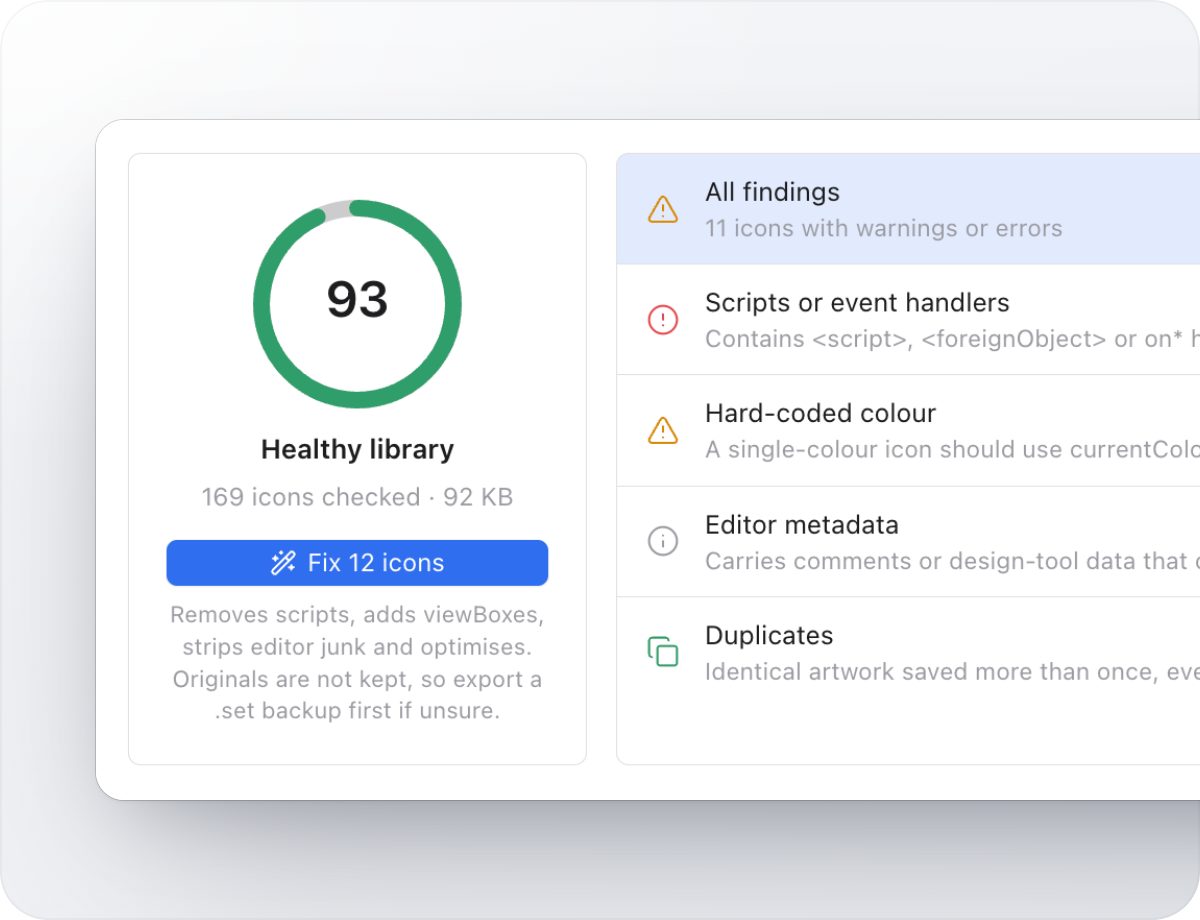
TipFixes rewrite the files, so export a .set backup first if you’re unsure.
Try Iconset free
A fast icon manager for Mac and Windows, with 100,000+ open-source icons built in. Free for up to 500 icons, with a 14-day trial of every Pro feature.
Download IconsetSee all features